Best Entry Level Golf Simulator Guide for 2026: Top Picks & Expert Insights
 Are you looking to improve your golf game at home without breaking the bank? Best entry level golf simulators offer an affordable and convenient way to practice year-round, no matter your skill level or space constraints. In this comprehensive guide for 2026, you'll discover expert insights and detailed reviews on top beginner-friendly golf simulator options. From essential features to setup tips and future trends, this article will help you confidently choose the perfect system to elevate your practice, sharpen your swing, and enjoy immersive golf experiences in the comfort of your own home.
Why Choose an Entry Level Golf Simulator in 2026?
The popularity of golf simulators for home use has skyrocketed as golfers seek accessible, year-round practice solutions. Entry level golf simulators provide the perfect starting point for beginners, offering affordability without sacrificing essential features. These systems allow players to practice swings, receive key performance feedback, and enjoy realistic gameplay regardless of weather or location. Advances in technology have made entry level models more capable, combining accurate ball and club tracking with easy-to-use software and compact designs. Typical use cases include skill improvement, casual entertainment, group play with friends or family, and focused training. Choosing an entry level simulator means you can enjoy these benefits while staying within budget and space limitations.
What Is an Entry Level Golf Simulator? Key Features & Expectations
An entry level golf simulator is designed for beginners and recreational users offering a balance of price, usability, and performance. Priced generally under $5,000, these systems include core components: a launch monitor to track ball and club data, a hitting mat providing realistic turf feel, an impact screen for clear visuals and shot feedback, and often optional enclosures for safety. Expected features include reliable ball flight data such as ball speed, launch angle, and spin with decent accuracy that supports improvement but may not rival high-end professional models. Setup is typically straightforward, and user-friendly software provides virtual courses and practice modes. While entry level systems don’t deliver premium graphics or ultra-high precision, they offer excellent value for beginner golfers investing in indoor practice.
How Golf Simulators Work: Launch Monitors & Simulation Technology Explained
Golf simulators rely on launch monitors to capture precise data on your shots. These devices use radar, infrared sensors, or camera-based photometric tracking to measure swing speed, ball speed, launch angle, spin rate, and more. Radar monitors emit radio waves that bounce off the ball to calculate velocity and trajectory. Infrared systems detect heat and motion, offering detailed swing analytics. Camera-based launch monitors capture multiple high-speed images to analyze ball movement. This raw data feeds into simulator software, which recreates ball flight and renders virtual golf courses, providing real-time feedback on shot parameters. Entry level simulators often use photometric or infrared technology for cost efficiency and ease of use but may have some trade-offs in extreme accuracy compared to premium radar-based systems. The simulation environment includes interactive practice modes, multiplayer challenges, and performance tracking to engage users.
Top Best Entry Level Golf Simulators for 2026: Detailed Reviews
1. Garmin Approach R10 – Best Overall Entry Level Simulator
The Garmin Approach R10 stands out for affordability, portability, and comprehensive data tracking—making it ideal for home or on-the-go use. It tracks key metrics like ball speed, club speed, launch angle, spin, and shot shape. With seamless integration into the Garmin Golf app, users gain access to virtual rounds on multiple courses and detailed performance analysis. Its compact footprint suits smaller rooms, though a ceiling height of around 9 feet is recommended for a comfortable swing. Pros include quick setup, accurate metrics for the price, and a user-friendly interface. On the downside, it may show slight inconsistencies in extreme weather conditions and requires a subscription for full software features.
2. Rapsodo MLM2PRO – Best Budget-Friendly Simulator
Rapsodo's MLM2PRO offers excellent value with a compact design and impressive data capture including ball speed, launch angle, and shot shape. It includes video swing analysis with side-by-side playback, allowing golfers to review form alongside shot data—ideal for focused training. This model boasts fast setup and wireless operation via a smartphone app. Its portability makes it perfect for practice at home, the range, or traveling. Pricing is competitive, outperforming many entry level simulators without sacrificing core performance. However, it requires adequate lighting and space clearances, and lacks extensive virtual course options without additional software purchases.
3. SkyTrak+ Garage Golf Package – Best for Small Spaces
This package is tailored for users with limited room, especially garages. SkyTrak+ is a photometric launch monitor combining accurate shot data with affordable subscription tiers providing various practice and play modes. The system works well with tight spaces due to a compact sensor size and compatibility with custom enclosures. Software includes skill challenges, course play, and robust analytics. While highly capable for its class, it requires adequate lighting and about 10 feet of ceiling height. Accuracy is strong, but some premium systems outperform it in detecting club path and face angle. Pros include extensive game modes and multi-device support; cons involve occasional sync delays and subscription costs for full features.
4. Blue Tees Rainmaker – Best Practice-Focused Budget Option
The Rainmaker offers affordability and versatility as a radar-based launch monitor featuring a built-in display, making it usable without extra devices. Its IPX7 waterproof rating ensures durability for both indoor and outdoor practice. Metrics tracked include ball speed, launch angle, and distance, supporting practice and training users focused on measurable performance gains. Compatibility with popular software like GSPro and E6 Connect adds immersive course play and analysis. The compact device is portable and quick to set up. Drawbacks include less detailed club data and a smaller virtual content library compared to higher-end simulators.
5. Shot Scope LM1 – Best Affordable Practice Tool
The Shot Scope LM1 is an ultra-budget launch monitor designed primarily for practice, not full simulation. Priced below $200, it offers core shot metrics such as ball speed and carry distance with internal shot storage—eliminating subscription fees. Its simplicity and lightweight design appeal to golfers seeking data-driven improvement without complex setups. While it doesn’t project courses or simulate gameplay, it provides reliable swing feedback and can be paired with third-party apps for enhanced analysis. Ideal for beginners wanting straightforward, actionable data to improve consistency and performance over time.
How to Choose the Best Entry Level Golf Simulator for Your Needs
Deciding on the right entry level golf simulator starts with your budget. Lower-cost devices offer essential tracking and practice tools, while mid-range systems provide richer software environments and greater accuracy. Consider your available space, including ceiling height and swing clearance, to ensure comfortable setup. Software usability is crucial; intuitive interfaces with diverse course options and training drills maximize play and progression. Reflect on portability versus permanent installation: portable units suit flexible practice locations, while permanently installed setups offer immersive experiences. Accessory compatibility—such as mats, nets, projectors, and enclosures—allows future upgrades and better realism. Evaluate the trade-offs between performance and features to match your goals, whether casual play, swing improvement, or entertaining friends. Assessing long-term support, software updates, and community engagement can guide a wise investment.
Setting Up Your Entry Level Golf Simulator: Space, Installation & Calibration
Optimal room dimensions for most entry level simulators are roughly 10 to 12 feet wide, 15 to 20 feet deep, and at least 9 feet ceiling height to allow full swings without restriction. Selecting a quality enclosure and impact screen protects your walls and improves shot feedback realism. Enclosures made of durable steel frames provide safety and stability, while impact screens with tear-resistant materials last longer under repeated use. Basic calibration involves aligning sensors or cameras with hitting surfaces and targeting a known ball flight path to fine-tune accuracy. Adequate lighting reduces tracking errors, so avoid harsh shadows or direct sunlight. Projector placement should offer a clear, flat display on the impact screen without blocking your swing path, with ceiling or wall mounts helping save space.
Essential Accessories to Enhance Your Golf Simulator Experience
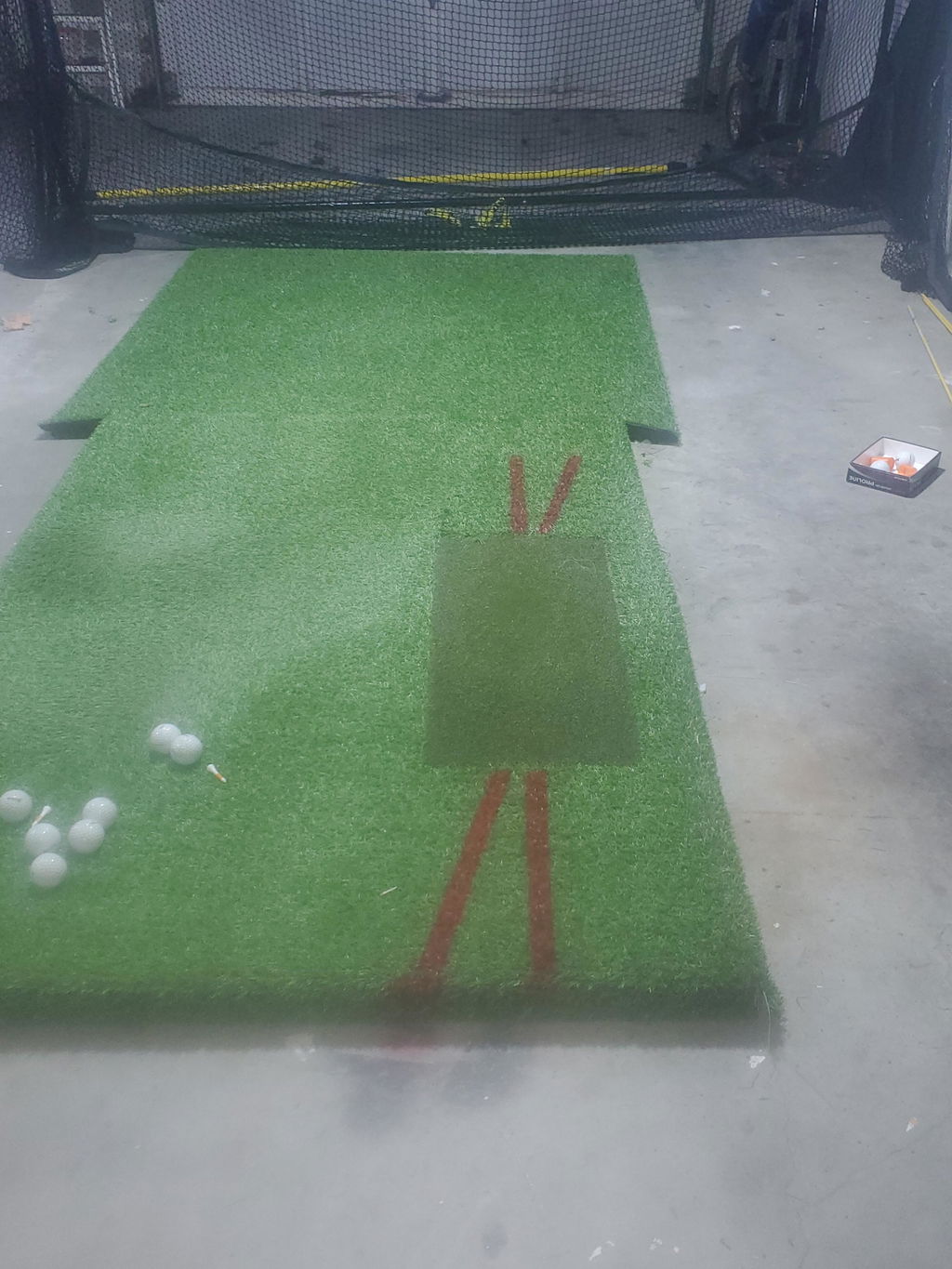
Hitting mats are fundamental accessories that protect your joints and simulate realistic turf feel and shot feedback. Choose mats with durable, dense fibers for long-lasting use. Impact screens not only display visuals but must withstand repeated ball impacts; opt for screens with replacement options to extend usability. Golf nets safeguard your surroundings and family members from stray shots and are usually combined with enclosures. Projectors with high resolution and brightness enhance clarity and immersion; wall or ceiling mounts help conserve floor space and optimize visuals. Additional accessories such as hitting strips, putting turf, and club hangers further customize the practice environment, making sessions comfortable and engaging. Investing in quality accessories extends your simulator’s lifespan and improves the overall playing experience.
Golf Simulator Software: Features That Maximize Fun & Training
Simulator software transforms raw shot data into compelling virtual golf experiences. Top features include a wide variety of premium courses renowned worldwide, realistic physics models for accurate ball flight, and diverse practice modes such as driving range, skill challenges, and putting drills. Training tools like swing analysis, drill suggestions, and instant feedback allow focused improvement. Multiplayer and online competition features enable you to play with friends or participate in tournaments remotely, boosting motivation and enjoyment. Some software uses subscription models offering access to course libraries and updates, while free options provide basic functions but limited content. Selecting software with an intuitive interface and regular upgrades enhances your simulator’s value and keeps your practice sessions fresh and rewarding.
Expert Tips for Getting the Most from Your Entry Level Golf Simulator
Maintain optimal accuracy by performing regular calibration of your launch monitor and updating software to the latest versions. Create a consistent practice routine, tracking progress over weeks and months using the built-in performance analytics. Combine simulator data with video swing analysis to identify and correct technique flaws effectively. Explore different game modes and multiplayer features to add variety, making practice more enjoyable and sustaining long-term engagement. Always check and adjust your setup for proper lighting and sensor alignment to minimize tracking issues and maximize feedback precision.
Common Mistakes to Avoid When Buying and Using Entry Level Golf Simulators
Many users underestimate the necessary space and ceiling height, leading to cramped setups that restrict proper swing motion and risk damage. Choosing systems solely on price without considering tracking accuracy or key features can result in dissatisfaction and limited improvement. Neglecting software quality and ongoing subscription costs may boost initial expenses unexpectedly. Poor lighting or incorrect projector placement can impair visibility, making gameplay frustrating. Lastly, skipping routine maintenance such as cleaning sensors and inspecting accessories shortens equipment lifespan and decreases performance. Thorough planning and attention to these factors ensure a rewarding simulator ownership experience.
Entry Level vs Luxury Golf Simulators: What You Need to Know
Entry level simulators offer essential swing and ball data with good accuracy at an affordable price, focusing on ease of setup and core practice functionality. Luxury systems provide professional-grade accuracy, advanced camera and infrared tracking, ultra-realistic graphics, expansive premium course libraries, and immersive software environments, often costing tens of thousands of dollars. Beginners and casual players benefit most from entry level models, while serious golfers and commercial facilities may seek luxury platforms. Many entry level systems can be upgraded over time with additional accessories or software, making them excellent stepping stones towards premium simulators as skills and budgets grow. Premium features include built-in displays, automatic ball return, and customizable environments for dedicated training.
Future Trends in Golf Simulators: What 2026 and Beyond Holds
Emerging technologies promise greater accuracy with improved camera-based tracking and AI-powered coaching that offers personalized swing tips. Social multiplayer integrations will continue to grow, allowing golfers to compete virtually and share experiences globally. Prices for advanced features are gradually decreasing, making sophisticated simulation more accessible to entry level users. Portability and compact designs designed for smaller home spaces will become more prevalent, enabling more golfers to enjoy indoor practice without large dedicated rooms. These innovations will blend performance and convenience, enriching golf practice for all skill levels.

Frequently Asked Questions About Entry Level Golf Simulators
| Question | Answer |
|---|---|
| What is the best entry level golf simulator? | Top picks for 2026 include Garmin Approach R10 for overall value, Rapsodo MLM2PRO for budget-conscious users, and SkyTrak+ Garage Golf Package for small spaces. |
| How much space do I need for an entry level golf simulator? | A room about 10-12 feet wide, 15-20 feet deep, and 9+ feet ceiling height is recommended for comfortable setup and swing clearance. |
| Are entry level simulators accurate enough for improvement? | Yes, they provide reliable shot metrics like ball speed and launch angle suitable for practice and skill development, though not as precise as premium systems. |
| Which launch monitors are best for beginners? | Models like Garmin Approach R10, Rapsodo MLM2PRO, and Blue Tees Rainmaker balance ease of use, affordability, and useful data tracking. |
| Can I use any golf ball with entry level simulators? | Many entry level systems work best with real golf balls and tees, but some require specific balls for optimal tracking; check manufacturer recommendations. |
Summary: Choosing the Best Entry Level Golf Simulator for Your Home
Choosing the best entry level golf simulator means balancing affordability with accuracy, usability, and space requirements. Prioritize systems that provide reliable ball and club data with user-friendly software and consider accessory compatibility for future upgrades. Ensure your room has adequate dimensions and lighting to optimize setup and enjoyment. Selecting the right simulator will empower you to practice effectively, track progress, and enjoy immersive golf experiences from your home in 2026 and beyond. Start your indoor golf journey today and take your game to the next level.